
How to Manage a Customer’s Email Preferences
How to Manage a Customer’s Email Preferences
Vacation Creations allows customers to choose which types of email communication they want to receive. Customers can update their preferences from an email they receive or by requesting a new preferences link from their travel agent.
Email preference options
Customers can turn the following email categories on or off:
- Marketing & promotions: Deals, campaigns, and travel inspiration
- Reservation emails: Confirmations and updates about their trips
- Forms, reports & invitations: Reservation updates, forms, and requests that require their attention
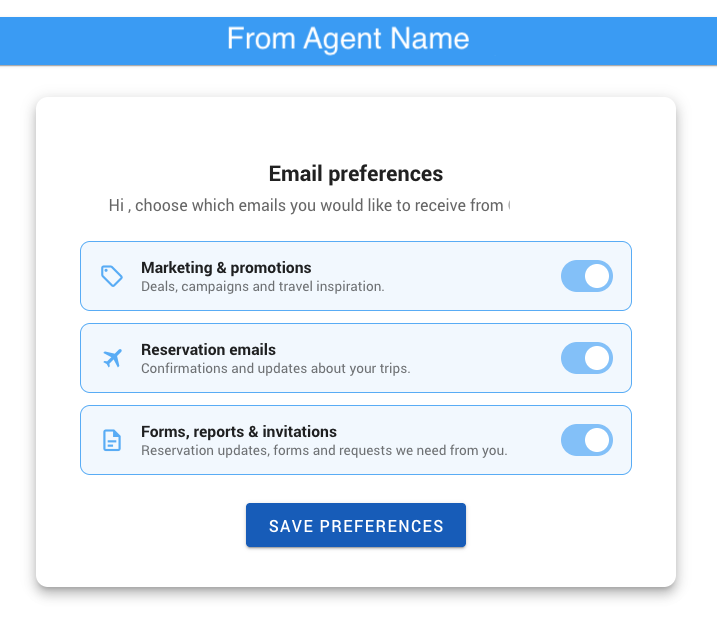
How customers update their preferences
A customer can manage their preferences directly from an email sent through Vacation Creations:
- Open an email from the travel agent or agency.
- Scroll to the bottom of the email.
- Select Manage your email preferences.
- Turn each email category on or off as desired.
- Select Save Preferences.
The customer’s choices will apply to future email communications.
How to send a new email preferences link
If a customer cannot locate the link or previously turned off emails they now want to receive, you can send another preferences link from their customer record:
- Open the customer’s record in Vacation Creations.
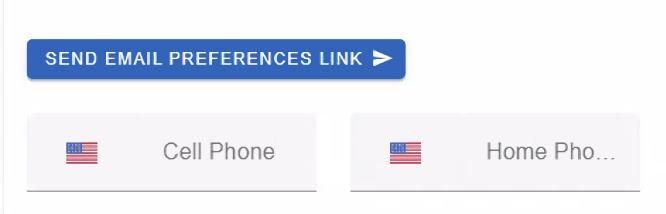
- Select Send Email Preferences Link.
- Ask the customer to open the link they receive.
- The customer can turn the appropriate email categories back on and select Save Preferences.
Restoring reservation emails
If a customer has turned off reservation emails, they may miss confirmations and trip updates sent through that email category. Send the customer a new preferences link and ask them to turn Reservation emails back on.
For privacy and preference management, the customer should make and save this change through their own email preferences page.
If the customer still does not receive emails
Ask the customer to:
- Confirm that the appropriate preference category is turned on.
- Select Save Preferences after making changes.
- Check their spam or junk folder.
- Confirm that the email address on their Vacation Creations customer record is correct.
If the issue continues, contact Vacation Creations support for assistance.
Article summary: Customers can control the types of Vacation Creations emails they receive. When a customer needs to restore an email category, use Send Email Preferences Link from their customer record so they can update and save their selections.